Internationalisation on Shopify; markets, currencies & growth strategies.
Learn effective strategies for expanding your Shopify store internationally, from currency management to local payment options.
17 April 2025

Want to grow your Shopify store internationally? Here's how you can start today:
- Expand to global markets using Shopify Markets, which simplifies managing multiple regions.
- Boost conversions by offering local currencies, payment methods, and translated content.
- Overcome barriers like currency confusion, localization challenges, and tax compliance with Shopify's built-in tools.
- Optimize pricing and taxes for each market to stay competitive and compliant.
- Use data-driven strategies to identify high-potential markets and tailor your approach.
Quick Overview:
| Shopify Tools | What They Do |
|---|---|
| Shopify Markets | Manage multiple regions, domains, and duties easily. |
| Currency Tools | Display prices in local currencies with automatic updates. |
| Translate & Adapt App | Translate content to increase trust and conversions. |
| Local Payment Methods | Reduce cart abandonment by offering region-specific options. |
Key Tip: Start small by testing one market first, then scale based on performance insights. Shopify's analytics tools can guide you in identifying the best regions to target. Ready to go global? Let’s dive in!
How to Scale Your Shopify Store Internationally - Step-by-Step ...

Shopify's Core Global Commerce Tools
Using Shopify's global tools can help businesses tackle challenges that come with international expansion.
Shopify Markets: Managing Multiple Regions
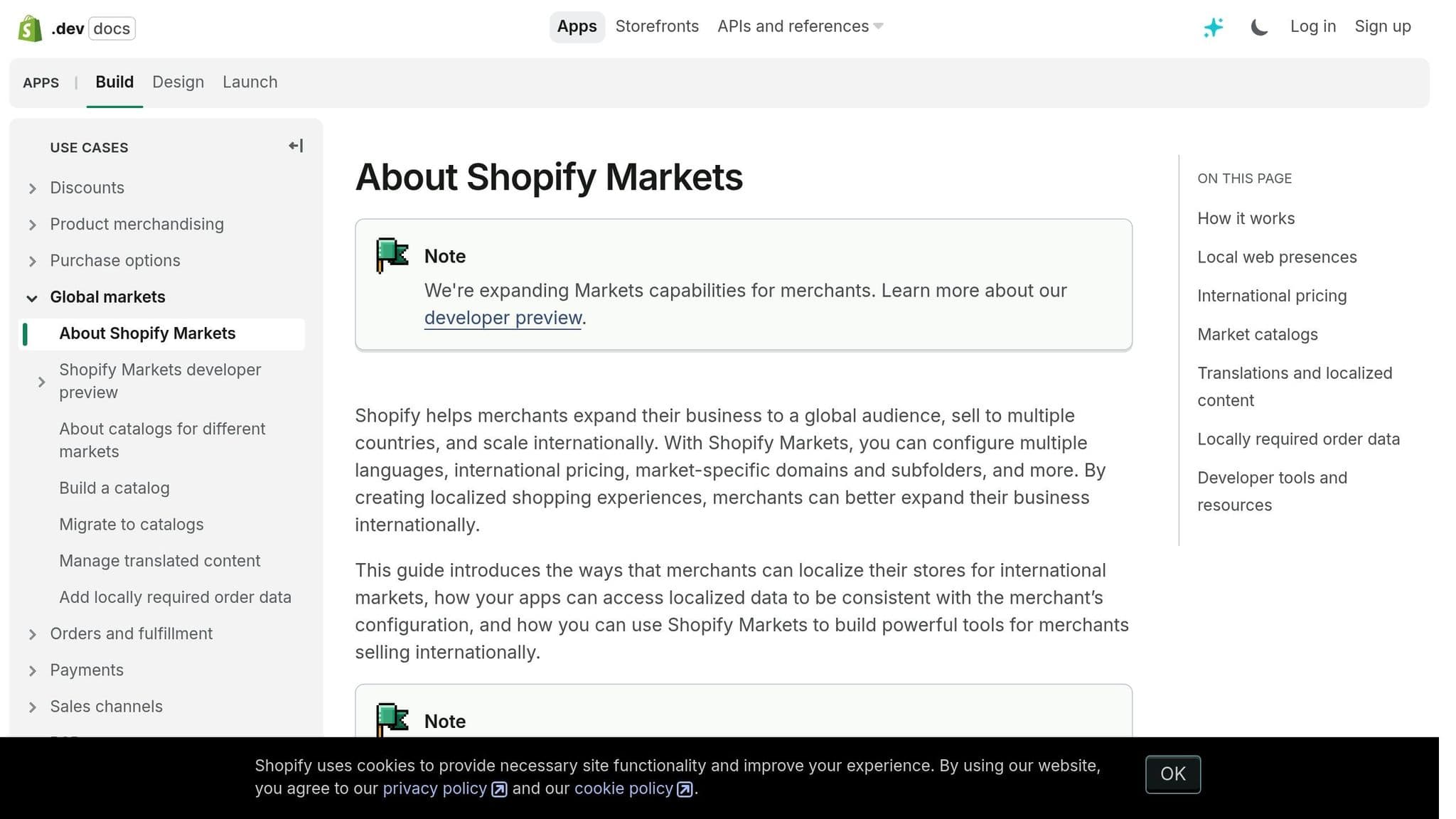
Shopify Markets makes it easier to handle international growth by automatically setting preferences for specific regions. It allows merchants to manage multiple countries as unified groups, cutting down on administrative tasks.
Here’s what Shopify Markets offers:
| Feature | What It Does | Why It Matters |
|---|---|---|
| Automatic Domain Management | Creates subfolders for each region | Boosts SEO visibility |
| Smart Redirection | Sends visitors to the right local store | Lowers bounce rates |
| Duty Collection | Adds import taxes during checkout | Avoids unexpected fees |
| Market Grouping | Combines countries into a single market | Simplifies management |
Interestingly, about 30% of online store visitors come from international markets. Let’s dive into how Shopify’s currency tools make local transactions smoother.
Currency Settings and Options
Shopify builds on its market grouping feature by offering advanced currency management to streamline transactions. When U.S. merchants enable local currencies, prices are automatically displayed in the shopper’s currency, which can boost conversion rates by up to 40%.
Key currency tools include:
- Automatic Exchange Rates: Updates prices in real-time.
- Manual Rate Settings: Allows custom rates when auto-updates are off.
- Price Rounding Rules: Keeps pricing consistent across currencies.
- Market-Specific Adjustments: Makes percentage-based pricing changes.
Content Translation and Regional Settings
Localization is critical, and Shopify’s Translate & Adapt app makes this possible. Studies show that 65% of global shoppers prefer to buy from websites in their native language, and offering translated content can increase conversion rates by 13%.
To adapt effectively to regional markets, focus on these areas:
| Element | What to Do | Why It’s Important |
|---|---|---|
| Store Content | Use the Translate & Adapt app | Ensures accurate translations |
| Payment Methods | Offer local payment options | Builds trust and boosts sales |
| Domain Structure | Set up market-specific URLs | Enhances local SEO |
| Regional Pricing | Apply market-specific adjustments | Reflects local costs |
For example, merchants in Belgium saw conversions increase by 150 basis points after adding Bancontact, a popular local payment method.
Shopify Markets Setup Guide for U.S. Sellers
Market Setup and Management Steps
To access Shopify Markets, head to Settings in your admin dashboard. By default, your store includes three markets: United States (primary), International (inactive), and Countries you don't sell to.
- Initial Market Configuration
- Go to Settings > Markets
- Click Add market
- Use clear, descriptive names for your markets
- Market Creation
- Set up domains specific to each market
- Adjust product availability for each region
- Configure shipping rates
- Enable local currencies
Before activating a market, ensure shipping rates are set for all relevant regions. Once your markets are ready, fine-tune their settings to align with U.S. standards.
U.S. Market Settings and Standards
After setting up global markets, make sure your U.S. market complies with local configurations:
| Setting Type | U.S. Standard | Configuration Location |
|---|---|---|
| Currency Format | $XX.XX | Products and Pricing |
| Date Format | MM/DD/YYYY | Store Settings |
| Primary Domain | yourstore.com | Domain Settings |
| Tax Display | Pre-tax pricing | Tax Settings |
Research indicates that showing prices in local currency can boost conversion rates by up to 40%.
Market Structure Options Comparison
Pick the market structure that fits your business goals:
| Structure Type | Best For | Key Benefits | Limitations |
|---|---|---|---|
| Single-Country Markets | Unique pricing strategies | Greater control over each market | Increased management complexity |
| Multi-Country Markets | Regional pricing alignment | Easier administration | Less control over individual settings |
Keep in mind, a country can only belong to one market at a time. If you create a new market that includes countries already assigned to another, the new market's settings will take precedence.
International Pricing and Tax Setup
Currency and Price Settings
Once you've set up your store, it's time to fine-tune your pricing for global markets. Use Shopify Payments to display prices in local currencies, making the shopping experience smoother for your customers.
To get started, go to Settings > Markets, choose your target market, and enable local currency options.
Here are some pricing adjustments you can use:
| Pricing Feature | Function | When to Use It |
|---|---|---|
| Price Rounding | Adjusts prices to end in .99 or .95 | Ideal for markets where psychological pricing works. |
| Percentage Adjustments | Adds a markup to cover extra costs like duties | Useful in regions with high import taxes. |
| Manual Price Setting | Lets you set specific prices per region | Best for markets with unique competitive pressures. |
International Tax and Duty Management
Tax laws vary from one region to another, so it's important to stay compliant wherever you sell. Here's a quick guide:
| Region | Tax Requirements | What to Do |
|---|---|---|
| European Union | VAT must be included in display prices | Turn on tax-inclusive pricing in your settings. |
| United Kingdom | VAT applies to sales ≤ £135 | Register for UK VAT and adjust your settings. |
| Canada | GST/HST applies for sales over $30,000 CAD | Set up Canadian tax rates in your store. |
Make sure your store's tax settings automatically adjust based on the customer's location.
Currency Conversion Methods Comparison
Choosing the right currency conversion method depends on your business needs. Here's how the options stack up:
| Feature | Automatic Conversion | Manual Conversion |
|---|---|---|
| Rate Updates | Uses real-time market rates | You set a fixed rate. |
| Price Stability | Prices change with market rates | Prices stay consistent. |
| Management Effort | Minimal upkeep | Requires regular monitoring. |
| Best For | High sales volume | Markets with unpredictable currencies. |
| Risk Level | Lower risk of currency fluctuations | Potential for gains or losses. |
How to Choose the Right Strategy:
| Market Type | Suggested Approach | How to Set It Up |
|---|---|---|
| Established Markets | Use manual exchange rates | Set fixed rates with a small markup. |
| New Markets | Start with automatic conversion | Test performance before switching to manual. |
| Highly Competitive | Tailor pricing to the market | Adjust prices manually for each region. |
Keep in mind that currency conversion fees apply no matter which method you choose. These strategies can help you stay competitive while expanding globally.
International Market Growth Methods
Building on earlier strategies like pricing and setup, these methods focus on driving growth in international markets.
Market Analysis Using Shopify Data
Use Shopify's analytics tools to pinpoint promising markets. Head to Analytics > Reports and focus on these key metrics:
| Metric to Track | What to Look For | Action Items |
|---|---|---|
| Traffic Sources | Countries with high organic visits | Target marketing efforts toward regions showing interest. |
| Conversion Rates | Markets with above-average results | Apply successful strategies to similar regions. |
| Average Order Value | Areas with strong purchasing power | Adjust product bundles and pricing for these regions. |
| Cart Abandonment | Markets with high dropout rates | Address local payment preferences and shipping costs. |
After identifying key markets, use tailored strategies to connect with international customers.
International Customer Growth Tactics
Create campaigns tailored to specific regions while maintaining a strong presence in the U.S. market. Regional strategies can significantly boost cross-border revenue.
| Growth Strategy | Implementation | Expected Outcome |
|---|---|---|
| Language Optimization | Translate product descriptions and reviews | Builds trust and improves conversions. |
| Regional Pricing | Use local currencies for pricing | Improves price perception and competitiveness. |
| Local Payment Methods | Offer region-specific payment options | Reduces cart abandonment rates. |
| Customer Support | Use AI chat with localized knowledge | Enhances the customer experience. |
Pair these tactics with efficient inventory management to sustain growth globally.
Global Inventory Control
Efficient inventory management is key to scaling internationally. Here’s how to manage it effectively:
| Inventory Strategy | Benefits | Implementation Tips |
|---|---|---|
| Regional Fulfillment | Faster delivery, reduced shipping costs | Collaborate with local distributors. |
| Buffer Stock | Shields against shipping delays | Base stock levels on regional lead times. |
| Demand Forecasting | Better stock allocation | Use historical data for each market. |
| Inventory Alerts | Prevents stockouts | Set thresholds specific to each region. |
To optimize inventory:
- Set Market-Specific ThresholdsTrack sales trends and maintain extra stock in areas prone to shipping delays.
- Partner with Local DistributorsWork with regional suppliers to speed up deliveries and cut shipping costs. For example,Hello Klean expanded successfully into the U.S. and Middle East markets using this strategy.
- Monitor Key MetricsKeep an eye on regional SEO rankings, cart abandonment rates, and average order value to spot areas for improvement.
Conclusion: Next Steps for U.S. Merchants
International Expansion Checklist
Expanding your Shopify store globally requires careful planning. Here's a clear checklist broken down by key phases:
| Phase | Action Items | Tips for Implementation |
|---|---|---|
| Market Research | • Analyze demand in target markets • Study competitors • Understand local regulations | Use Shopify Analytics to identify promising markets based on current performance |
| Technical Setup | • Configure Shopify Markets • Enable multi-currency options • Set up local payment methods | Start small - test one market first to refine your approach |
| Localization | • Translate product descriptions • Adjust pricing strategies • Tailor content to local preferences | Collaborate with local experts for accurate translations and culturally relevant content |
| Operations | • Build a fulfillment network • Set up customer support • Adjust tax and duty settings | Use regional fulfillment centers to cut shipping times and manage costs effectively |
Once your plan is in motion, shift your focus to tracking performance and improving operations.
Performance Monitoring Tips
Keep an eye on these key metrics using Shopify's Analytics dashboard to ensure your international efforts are on track:
| Metric Category | Key Indicators | Actionable Insights |
|---|---|---|
| Customer Behavior | • Cart abandonment rate • Average order value • Return rate | Watch for regional differences in cart abandonment or order values and address issues quickly |
| Market Performance | • Conversion rates by region • Traffic sources • Revenue by market | Compare these metrics to your U.S. baseline to uncover areas for improvement |
| Operational Efficiency | • Fulfillment times • Customer support response times • Inventory turnover | Regularly check these to maintain high service standards across all markets |
Analyze these metrics consistently and adjust your strategies as needed. Shopify Markets' built-in tools can help you compare performance across regions and identify opportunities for growth.
Related Blog Posts
The ultimate shopify tech stack for high growth ecommerce stores
AI-Powered Pricing Strategies for eCommerce
How To Build a Social Media ROI Dashboard
How to Track Competitor Product Launches
Payment Gateway KPIs for eCommerce Growth
International Expansion: The 90% Failure Rate Nobody Talks About
Newsletter
The Uncommon Insights Letter
Practical FMCG & eCommerce growth playbooks — margins, retention and scaling tactics, straight to your inbox.
Turn these ideas into profit you can see
Get a hands-on operator to turn the frameworks above into results — book a free audit call.